Monday, August 31, 2009

I forgot what the M in MVC was for

What brought me to this conclusion was my reading up on a little Rails. I finally took the dive. I’ve been avoiding Rails for a while in favor of just learning Ruby. Steve loaned me “Rails for .Net Developers,” and the research was underway in earnest.

On page 89, the light bulb went off. But not for Rails so much as for how I’m writing my ASP.Net MVC apps. Here’s the bit that got me:

• Models are the classes that represent your business domain and that are responsible for communicating with your data. In Rails, this means the tables in your database.
• Views represent your presentation layer, for example, HTML and JavaScript.
• Controllers are responsible for connecting the models and views and managing the flow of the application. doing_it_wrong
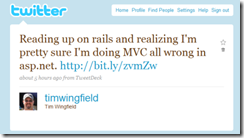
That reads pretty straightforward to me. Hell, I’ve stood in front of groups of devs on more than one occasion and said, “Views are what gets rendered, controllers marry up the views with anything they need from the model, and the model is everything that’s not a view or a controller.”

So, what’s been going wrong? I’ve been putting way too much business logic in my controllers.

The structure of most of the MVC apps I’ve worked with is a typical .Net program structure. We’ve got a core where our business domain lives, and some type of ORM set up to talk to the database. From there, we expose that domain up to the UI through some simple domain services.

The issue comes when I consume those services. I’m using my controller actions to marry all that up and present it to the UI. I think my “excuse” to this point has been that I have two models: My domain model, which I’m accessing through my domain services, and my presentation model, which lives in the Models directory in the ASP.Net MVC structure. My controllers have to care about two places to get their information to provide to the views. At the least I’m violating the pattern and at worst I’m likely repeating myself somewhere and creating a future maintenance issue.

I think I can see where this happened, too. Think back to the Bad Old Days of dealing with Web Forms, and the cubby code behinds that came with it. In order to avoid the 197 line PageLoad method, I would have a lot of little one-off methods scattered about the code behind file. Switch over to MVC, and it seemed perfectly normal to have a similar structure. Alarms should have gone off when I had 5 classes in the Models directory but 18 methods in one controller class.

But wait, there’s more!

While perusing some code on my current project, I came across the [NonAction] attribute decorating a couple of controller actions. Re-reading that…I had NonAction decorating Actions. That has a certain “Jumbo-Shrimp” feel to it, doesn’t it? I suppose the non-action could fall under “managing the flow of the application” from above, but I’m thinking any non-actions might need to be refactored into the model.

Moving forward on my MVC apps – of any flavor, Ruby or .Net – I think I’ll move to a much thinner controller model in favor of loading up the model with business logic. Though I thought I knew the pattern fairly well, I didn’t practice what I preached.

Friday, July 24, 2009

Kanban At XPUserGroup – July 29

This is a bit short notice, but I just found out about it last week. (Thanks to Kevin tweeting about it. :) ) But, I’ll be presenting my “A Little Bit of Lean with Kanban” this coming Wednesday for the XPUserGroup here in Columbus. The meeting will be at OCLC at 11:30, I’ll begin my presentation at noon. (Directions and room info at OCLC.)

I didn’t plan on doing much speaking before leaving for vacation on August 1, but here’s one more session on Kanban. We really can’t spread the word enough about Kanban, so why not give one more a few days before I head south?

I’m also giving a short presentation on the 7 principles of Lean Software development next week…but you have to be an employee of Quick Solutions to see that one. (Get hired by Tuesday to see it! :) )

Friday, July 3, 2009

CodeStock Recap and Kanban Talk Slides

I had a great time at Codestock this past weekend. I didn’t get to many sessions, but I did go to a number of open space sessions (have some work to do on my blog) and the normal “hallway” sessions that never disappoint.

My talk on Lean and Kanban went really well. There were only a couple seats left in the smallish room we had, but that lead to a much more interactive discussion. The slides are available to download, with some notes in the deck.

To answer a couple more questions from the group, here are a couple of the resources I mentioned in the talk:

Coming soon will be Agile Zen. I’ve taken a peek at the beta, and it’ll be quite a tool in helping people and teams do lean development. Sign up for their mailing list to get notified when it comes out.

Tuesday, June 16, 2009

IndyNDA Recap and Covering the ModelBinder

I want to thank all that attended my MVC presentation in Indy last week. I had a great time speaking, and even though I left a portion of my code sample out (model binders, which I’ll cover below), I thought it went well and I got some good questions during and after. I apologize for leaving it out of the talk, but I get to write a little blog post about it.

A couple housekeeping things before I cover the ModelBinder part I missed.

Off the top, the slides and source code from last week are all zipped up for your downloading convenience. (The code through SVN is also available on Codeincubator.)

During the post talk talking, Dave asked me about a grid option in MVC. One we’ve been using is Flexigrid. It will do paging and sorting on its own, and will call back to your controller on its own for a little JSON. The big gotcha here is it runs on an older version of jQuery, which bit us in the butt on Friday on our project.

The blog post that contains the code and explanation…well better explanation than, “I copied and pasted and it worked,” on the partial views is on Steve Sanderson’s blog.

Now on to the part I forgot…

ModelBinder

I’m still feeling bad for not sharing this part. I got a question about it after the presentation, and that’s when I realized I totally forgot the edit page, which was going to demonstrate the ModelBinder. (Among other things, like the FluentHTML controls.)

If you have the code form above, the files in play here are InventoryController.cs and Edit.aspx. AssaultItemEditModel.cs is the object passed, but it’s just a property bag.

For the Reader’s Digest version: the ModelBinder works on the premise of convention over configuration, so the naming of your fields matter in that they have to match the property names of the object you want to bind to.

For the example I missed, we had the edit model that we wanted to bind to:

public class AssaultItemEditModel
{
    public virtual int Id { get; set; }
    public virtual string Type { get; set; }
    public virtual string Description { get; set; }
    public virtual int LoadValue { get; set; }  
}

The view had the form fields hooked to that edit model through the Fluent HTML controls from MVC Contrib.

<% Html.BeginForm("Save", "Inventory");%>
    <h2>Edit <%=Html.Encode(Model.Type) %></h2>
    <%=this.Hidden(x => x.Id) %>
    <ul class="details">
        <li><span>Type: </span><%=this.TextBox(x => x.Type) %></li>
        <li><span>Description: </span><%=this.TextBox(x => x.Description) %></li>
        <li><span>Load Value: </span><%=this.TextBox(x => x.LoadValue) %></li>
        <li><%=this.SubmitButton("Save") %></li>
    </ul>
<% Html.EndForm();%>

And finally, the controller method that’s going to process it all. Rather than taking in the standard id, it takes in a model object to which it will do all the Request.Form for you and hook the form values up to the object properties.

[AcceptVerbs(HttpVerbs.Post)]
public ActionResult Save(AssaultItemEditModel item)
{
     //do save
     var assaultItem = new AssaultItem(item.Id)
         {
             Description = item.Description, 
             Type = item.Type, 
             LoadValue = item.LoadValue
         };

     Service.SaveAssaultItem(assaultItem);

     var message = "Item saved successfully.";

     return this.RedirectToAction(x => x.Index(message));
}

Don’t mind my extra step on newing up an object with the id as a parameter, that’s due to the way I hooked up Fluent nHibernate at the start. Basically, to generate my maps from my domain objects, the id gets a private setter as convention. So, to get the right object to save, I had to set up the constructor to take an id argument. I cut some corners to get the demo app out the door. (John, you may hit me with, “Quicker does not equal better,” as soon as you read this.)

The other way around that is to not use my domain objects in my views, but that’s another discussion.

Under the hood where the magic happens, I haven’t dug too deep. But, I use this daily and it works swimmingly. You don’t even have to take in the model the view is bound to, just have the form fields match the model you’re taking in. I don’t recommend doing ad hoc model binding, in practice we set our edit model as a child of the view model.

I feel bad that I didn’t get this up on the screen, because it’s some fun stuff to show off.

Wednesday, June 10, 2009

Now Batting Leadoff for CodeStock…

I am honored to have been selected to speak at CodeStock and will be delivering having my Kanban conversation in the great state of Tennessee. I’m really looking forward to this as I didn’t make CodeStock last summer, and it looks like a great two day event. The good folks that have organized the conference have slotted me in one of the opening sessions on Friday, so we’ll get our Lean on early in the conference.

There are a number of sessions I’m looking forward to, and since mine is over early I should get to a bunch of them. But, as with any regional conference, I’m looking forward to the hallway sessions as well.

If you’re thinking about going, go get registered, it looks like it’s going to be a good time.

Monday, June 8, 2009

“But WebForms did that FOR me.”

While working with the model binder the other day, the statement in the title was made by one of the guys on my team. It’s not an unreasonable statement, but I think it spells out an important distinction between traditional ASP.Net WebForm development and using the new, shiny ASP.Net MVC framework.

The point in question was in posting an object after edit, the id didn’t automatically come through. The model binders do some magic under the hood, and it’s welcome magic in my opinion as I’ll gladly leave Request.Form back with Classic ASP. However, you still have to tell the model binder the whole story, it’s not done for you anymore. (Nor was it done for you before WebForms.)

Solution to our little problem: Stash the object id in a hidden form field. (Yes, I know, right click and view source and there’s my object id.) Once looked down upon in WebForms development…well, other than that one GIANT hidden form field called “ViewState”…the hidden field looks to be making a quiet comeback.

Basically, if you want the model binder to find all the bits to your object, you have to make it available when the page posts. So, it needs to be in the form somewhere.

Personally, I don’t see this as a step backwards, but I grew up in the salad days of request/response. Having to provide that info so you can get it back seems normal. The flip side is also true: if you don’t need it, you don’t have to add it.

The more I work with ASP.Net MVC, the more I fall in love with it.

Sunday, June 7, 2009

Back to Indy for NDA

image A few weeks back, I made my first trip to speak in Indy at the Indy Code Camp. I had a great time, met some new people, and got invited back to speak at IndyNDA on ASP.Net MVC.

So, this Thursday, June 11, if you’re in the greater Indianapolis metropolitan area and want to learn a little MVC, then I hope to see you at IndyNDA.